Draw a wave and play it, live

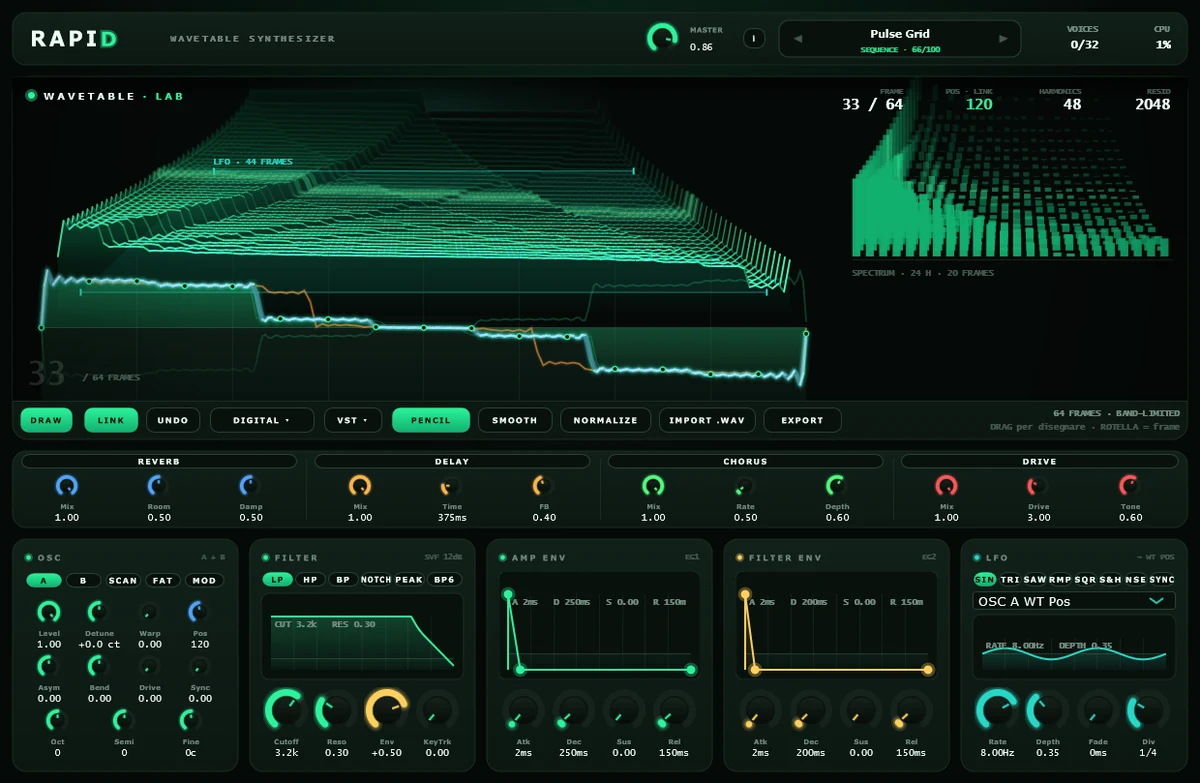
Hold a note down in Rapid and drag across the big curve. The wave changes under your mouse, and the sound catches up the moment you pause or let go: no stopping, no reloading, no window to close. The display in the middle of Rapid is not a scope. It is the wavetable itself, and it belongs to the instance you have open.
A new table starts with 64 frames of 2048 points each, and an imported .wav can bring up to 256. The horizontal axis is the position inside the wave, the vertical axis runs from -1 to +1, and a fast drag leaves no holes because the line is filled in between one mouse position and the next. With LINK on, which is the default, the frame you draw on is the one oscillator A is reading. A .wav can replace the whole table, another one carries it back out, and the table travels inside your preset and inside the host project. In the demo, exporting a .wav and saving preset files are locked; importing and the host project work as usual.
Five versions of every frame
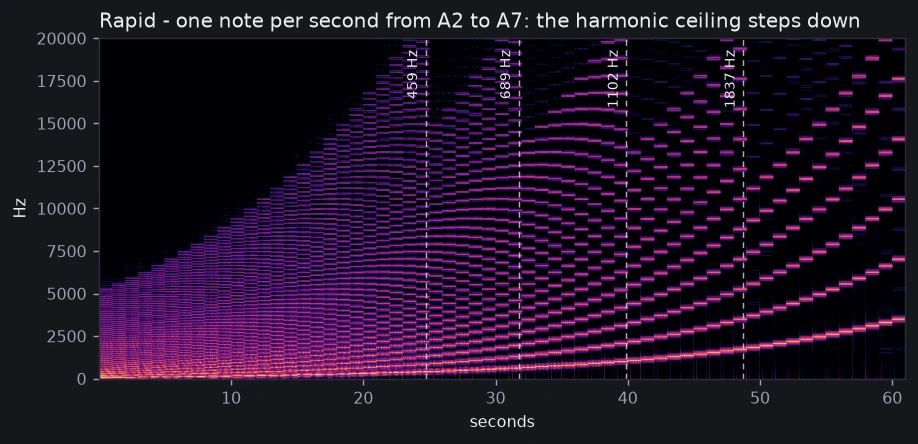
You can draw a hard vertical edge and still play it high up the keyboard, because Rapid never plays your 2048-point frame as it is. From every frame it builds five versions, from the richest, with up to 48 harmonics, down to the simplest, with 6, and for each note it picks the richest one that still fits under the top frequency the audio can carry. At 44.1 kHz the version changes four times as you climb, around 459, 689, 1102 and 1837 Hz; at 48 kHz those points sit a little higher.
All five share the same gain, worked out on the richest one to match the peak of your drawing. Each step down removes the top harmonics, so the sound gets a little less bright. A drawing that lives mostly in the highs also gets quieter as you climb, and on a very high note it can almost disappear: keep some of it in the low harmonics so it still speaks up there. Between two neighbouring frames the sound blends gradually.
This is what keeps the top of the keyboard clean. A sharp edge is full of very high harmonics, and played as drawn, the ones the audio can’t carry would fold back as notes that don’t belong to yours, sliding down while you play up. With Warp, Asym, Bend, Drive and Sync at zero, Rapid’s oscillator does none of that up to about 3.7 kHz at 44.1 kHz, close to the top of a piano; those five controls bend the wave while it plays, after the version is chosen. The price is that the wave you hear is your drawing with the top trimmed: even on the lowest notes you get at most 48 harmonics, so a hard edge comes out slightly rounded, with a small ripple at the corner.
Draw while it is sounding
Rebuilding a table is real work, and the heavy part does not run on the audio side. Your drawing goes into a separate copy, the editor waits 75 ms after your last movement, and the new table is built on the side and swapped in all at once: the sound never has to wait for it. That is why the chord under your left hand keeps playing while your right hand redraws it. It also means the sound follows in steps: while you keep dragging you see the curve change at once, and the sound catches up when you stop or let go, a moment later. Choosing a factory preset replaces the table with its own, so save your drawing first; Undo takes you back up to 12 steps.
Twelve tables to start from
Rapid ships with twelve factory tables, generated by us from mathematics and ready to be pulled apart and redrawn. They go through the same five versions as anything you draw, and that is what keeps their high notes clean too.
Open the Wavetable Lab, hold a chord and start dragging. That is the whole demo, and the fastest way to find out what Rapid is for.
The instrument
