Downloads
This is where the files are. Everything that has been published shows up in the list below: pick the instrument, then the version you want.
If the list says there is nothing to download yet, the page is not broken. It means nothing has been published, and the list will fill itself the moment something is. We would rather show you an empty shelf than a promise.
The releases
Windows downloads are installers (.msi, or the .exe inside a ZIP); macOS downloads are .pkg installers.
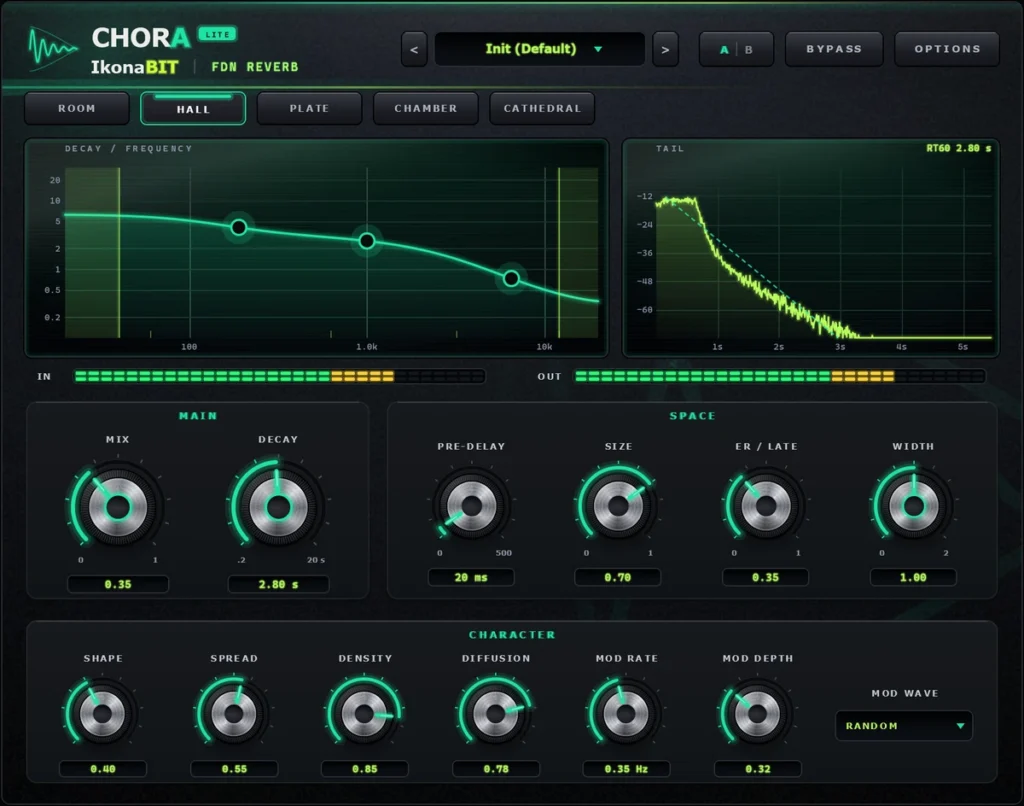
Chora Lite
The same tail, fewer decisions
8 or 12 modulated lines with coprime delays, one orthogonal matrix instead of three, and the decay equaliser active with its breakpoints set by the presets. Everything that made the tail liquid is still here; what is gone is the part you had to decide.
ikonabit-ChoraLite-1.1.2 beta
VST3Standalone
ikonabit-ChoraLite-1.1.0
VST3AUStandalone
File names and previous versions (1)
- ikonabit-ChoraLite-1.1.2.msi
ikonabit-ChoraLite-1.0.0
VST3AUStandalone
Who can download what
Every release carries one of three levels:
- Open — anyone, with no account.
- Registered — an account, and being signed in.
- Customers — having bought that instrument.
You do not have to work out which is which. A row you can use shows a Download button; a row you cannot shows the reason in words — sign in, or this one is for customers who bought the instrument. A grey button that explains nothing would only turn into an email, and the answer would be that one sentence.
If you press Download on a file that needs an account while you are signed out, you are taken to your account page first, and you can come back here afterwards.
One case is worth knowing in advance: if an instrument is withdrawn, its files stop being served — including to people who bought it. If that happens to something you paid for, write to us.
The FREE Lite editions
The Lite editions (Chora Lite, Kairos Lite, Zygos Lite, Telos Lite, Rheos Lite, Plethos Lite, StripL Lite) are FREE forever, and so are their updates. They have a real licence, like every ikonaDSP plugin: you need an account, you get the licence for each edition from its product page or from the Licences page of your account, you enter the machine code of your computer there, and you receive the licence file made for that computer. Up to 2 computers for each licence. Without the licence file a Lite runs in demo mode, exactly like the full plugins.
Twelve months of new builds
Buying an instrument gives you its downloads, new builds included, for twelve months from the date of your order. After that you keep the last build released inside that window, and it goes on working: what stops is the download of newer ones, not the software you already have. The binding wording is on the page Licence Agreement (EULA).
The licence text comes before the file
The first time you download something you are asked to accept the licence. If the licence is later revised, you are asked once more, for the new version — once, not every time. It is a real condition of the download and not a banner: the file is released after the acceptance has been recorded.
How the download link works
The files do not sit at a public address. They are kept out of reach of the web, and pressing Download builds a link on the spot which is signed and tied to three things at once: that release, your account, and a deadline ten minutes away.
Two things follow from that, and each of them saves an email:
- An expired link cannot be revived. Come back to this page and press Download again: it costs nothing and makes a fresh one.
- A link cannot be handed to someone else, or bookmarked for next month. It was made for you, for the next ten minutes.
What each row tells you
The version, the date, and what the file actually is: the plug-in formats it contains (VST3, AU, AAX, standalone) and the system it is built for (Windows or macOS). A release on the beta channel is marked beta; everything else is an ordinary release and needs no label.
Beta means it is there to be tried and reported on. Do not put one into a session that matters to you.
Your licence file
A paid instrument, and each FREE Lite edition, is unlocked by a single file with the extension .ikonalicense, issued in your name and to your email address. The plug-in shows the name it was issued to, and that is the point: it is your copy, and it says so.
To install it, drag the file onto the plug-in window, or use the button in the plug-in and pick it. It gets copied where it needs to be, so you never have to go looking for a folder. Keeping your own copy of the file somewhere safe is still a good idea — it is the thing that proves what you bought.
It is checked on your own computer, without the internet. No call goes out when the plug-in starts. The file is made for the computer whose machine code you gave us, and you can register up to 2 computers for each licence: that list is the only record, and it sits in your account. A studio machine with no network behaves exactly like one with a network.
Without a licence file: demo mode
An instrument with no licence file runs in demo mode. This applies to beta and stable builds alike. It runs in full, with nothing disabled, for the first 10 minutes from the moment the session starts. After that a 3-second burst of noise is mixed in every 3 minutes, at a level deliberately chosen not to hurt your monitors or your ears. Offline renders (bounce, export, freeze) are always degraded, from the first second. Close the session and open it again and the 10 minutes start over: nothing about the demo is written to your machine.
That is the whole restriction. A demo lets you judge the instrument properly and makes it useless for a finished recording, which is exactly what a demo is for.
If a download will not work
Write to us and say which instrument, which version, which row you pressed and what you saw. There is a page for that: Contact and Support. It also lists what to put in the message so that the first reply is a useful one instead of a request for more detail.